
Rests
Out of the way.
Hidden behind the camera until something plays. Then the cover and a few moving bars, in its colors, sit either side of the notch.
For macOS 14 and later
The notch, made calm.
What's playing, your volume and brightness, and the files you're holding, in one quiet island at the top of your screen. It never takes you out of the app you're in.
Free for 7 days. Then $2.99/month or $19.99/year.
 Early LightField Notes
 File Tray
Overview
Rests
Hidden behind the camera until something plays. Then the cover and a few moving bars, in its colors, sit either side of the notch.

Peeks
Point at the notch for the song, with play, pause and skip right there.
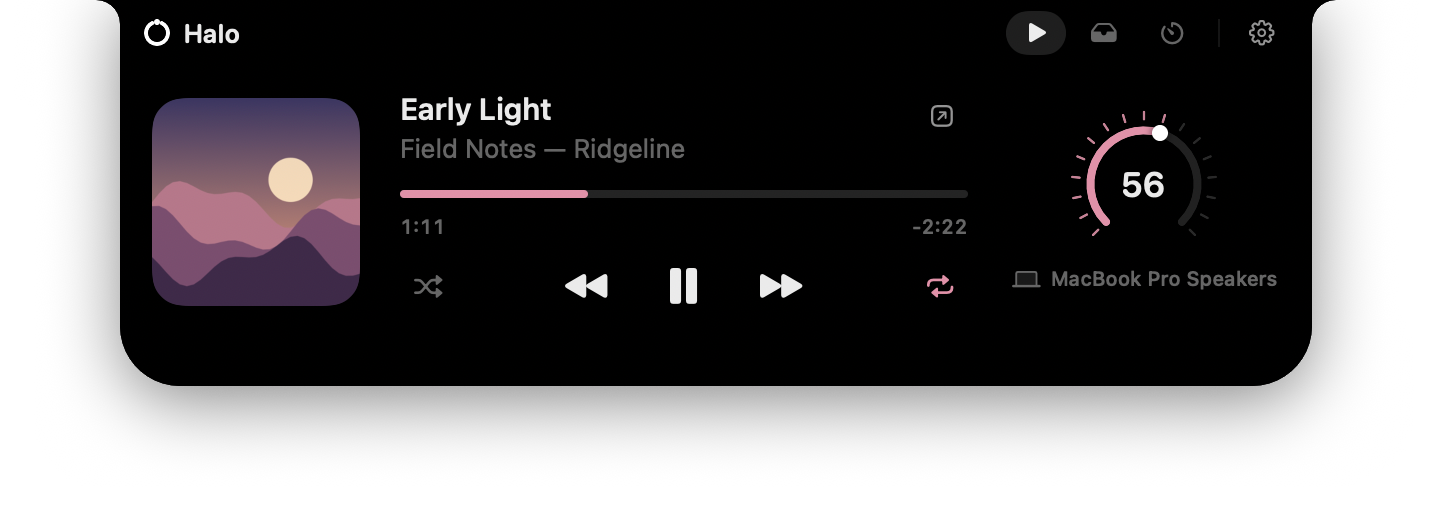
Opens
The full player, your file tray and the volume dial. Move away and it closes itself.
Music
Halo follows whichever is playing, or the one you choose. No accounts and no sign-in.
Play, pause, skip, shuffle, repeat, and drag to any moment in the song.
A new song stretches the island for a moment, then it settles back. Nothing drops over your work.
The playing bars, progress and volume dial take their color from the artwork. Prefer it plain? Keep it all white.



Volume and brightness
Halo replaces the macOS volume and brightness indicators. The island stretches for a second with a simple white bar, in place of the music, then settles back.


MacBook Pro Speakers
On the Now Playing page. Drag around it or scroll over it, with a soft tick and a tap on the trackpad at each step. Try this one.
And more
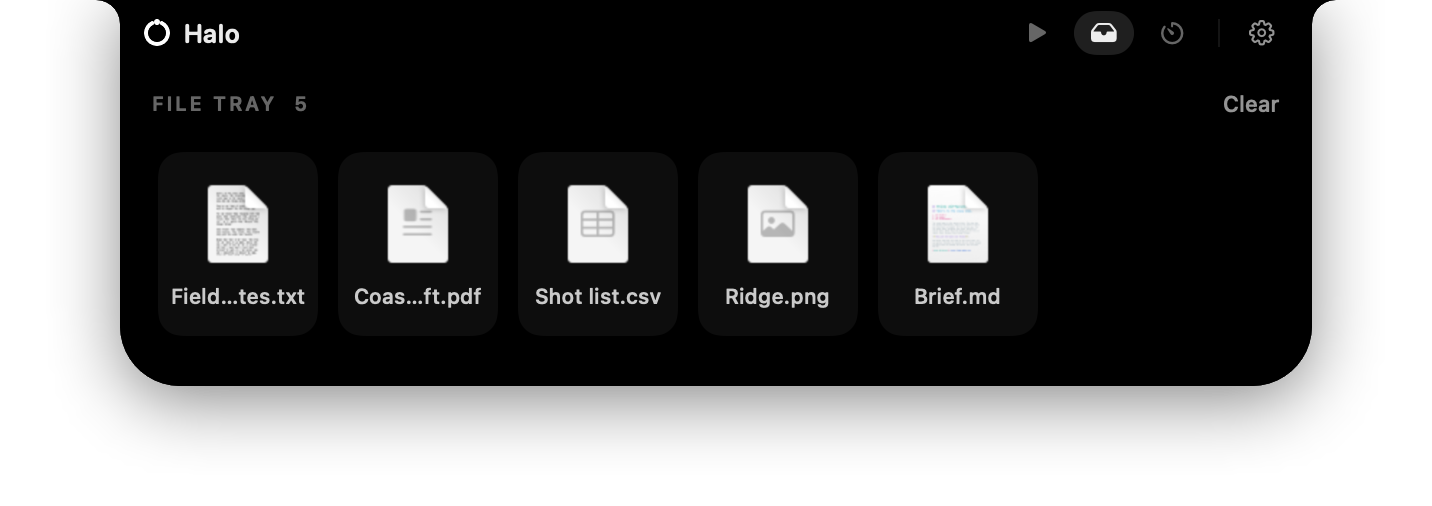
Drag files to the notch to hold them for a moment, then drag them out wherever they're needed. Halo keeps references, never copies.
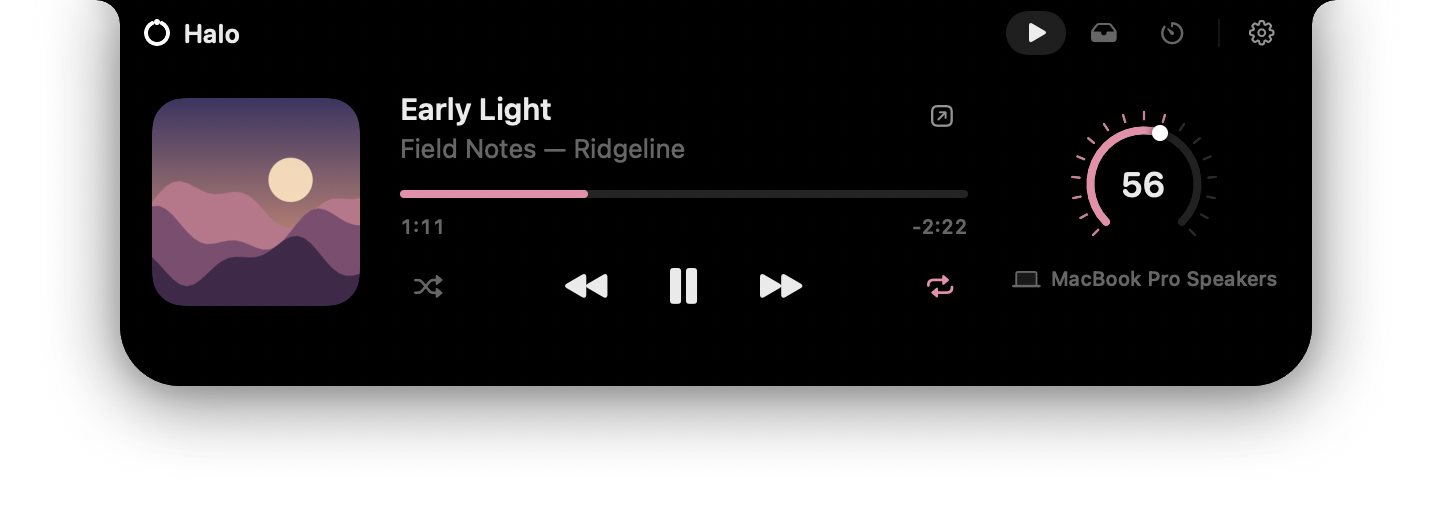
A sweep of light traces the island as it opens, then fades, glows or gently moves.
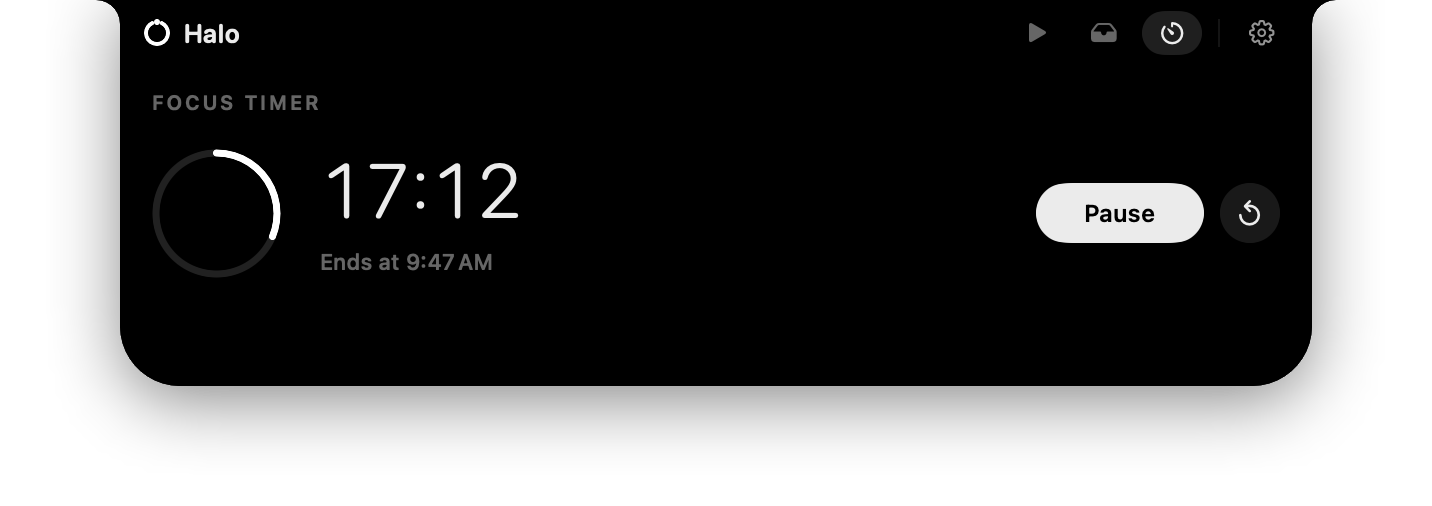
An optional page. While a session runs, its ring and time rest beside the notch.

No notch? Halo floats as a small pill below the menu bar, on one display or all of them.
Press ⌃⌥H to open Halo; Escape hands focus back. Try it on this page.

A clock, weather, battery and what's playing while your Mac is locked, over a background that takes its colors from the song. Off until you want it.

The island stretches for the title and artist, then settles back beside the notch.
Quiet by design
Written in Swift with SwiftUI and AppKit. A real Mac app, not a web page in a window.
Halo wakes when something changes: a song, a key, a file. At rest, it uses no CPU at all.
Point at it or click it, and the app you're in stays in front. Only ⌃⌥H gives Halo the keyboard.
No accounts, no analytics, no tracking. What you play and the files you hold stay on your Mac.
Measured at rest: no CPU and a handful of wake-ups, like an empty menu bar app.
Pricing
Every feature in both. Start with a 7-day free trial, then pay monthly or save with a year. Switch between them or cancel whenever you like.
$2.99 /month
Billed every month.
Available soonFree for 7 days, then $2.99/month. Cancel anytime.
$19.99 /year
Just $1.66 a month, billed once a year.
Available soonFree for 7 days, then $19.99/year. Cancel anytime.
Included in both
Prices in USD. Sales tax or VAT is worked out at checkout. Secure checkout by Paddle, who also send your receipt and license key.
Questions
$2.99 a month, or $19.99 a year, after a 7-day free trial. Both plans include every feature and every update. Prices are in USD.
Yes, whenever you like, from the link in your receipt. Switching between monthly and yearly is prorated, and cancelling keeps Halo working until the end of the period you've paid for.
Paddle, a payment company that sells Halo on our behalf. It takes cards and other local payment methods, works out sales tax and VAT, and emails your receipt and license key.
No. Halo is native, and it wakes on events rather than timers. Measured at rest: 0.0% CPU, the same as an empty menu bar app.
Only what a feature needs, and only when you use it. macOS asks once before Halo can control Spotify or Music. Taking over the volume and brightness keys needs Accessibility. Weather for your current location needs Location.
No accounts, no analytics, no tracking. Halo downloads album artwork from Spotify, and if you turn on lock-screen weather it asks the weather service you choose for your chosen place. Everything else stays on your Mac.
Halo floats as a small pill just below the menu bar instead, on one display or all of them.
Try it free for 7 days. For macOS 14 or later, on any Mac.